- Home Page /
- Electronics /
- Computer Accessories /
- Computer & Tablets /
- Laptops /
- Traditional Laptops /
- Dell CRM3120-1667BLK 11.6" HD Chromebook (Int...
0 ratings




Item #:
8139393
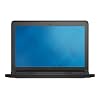
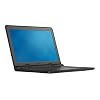
Dell CRM3120-1667BLK 11.6" HD Chromebook (Intel Celeron, 2GB RAM, 16GB SSD, Chrome OS)
Item #:
8139393
PHP 15502
Price Details
Excluding Shipping & Custom charges ( Shipping and custom charges will be calculated on checkout )
*All items will import from US
Out of stock
 Imported from USA store
Secured transaction
Ubuy works hard to protect your security and privacy. Our advanced payment security system ensures confidentiality by encrypting your information during transmission using AES (Advanced Encryption Standards) and SSL (Secure Socket Layer) protocols. Your payment details are 100% secure as we do not share your payment details with third party sellers.
Our Top Logistics Partners


The Dell Chromebook 11 is MIL-STD tested for durability, has a 10-hour battery life, and boots up in under 10 seconds for quick cloud access, making it perfect for student life.

Fast
Shipping

Free
Return*

Secure Packaging

100% Original Products

PCI DSS Compliance

ISO 27001 Certified


Note: Step Down Voltage Transformer required for using electronics products of US store (110-120). Recommended power converters Buy Now.


What Stands Out
Compact Design
The Dell CRM3120's lightweight and portable 11.6" form factor makes it perfect for students and professionals on the go, offering convenience without compromising functionality.
Efficient Performance
Powered by Intel Celeron and 2GB RAM, this Chromebook effortlessly handles everyday tasks, ensuring smooth browsing and app usage, ideal for users needing reliable performance.
User-Friendly OS
With Chrome OS, the device provides seamless access to Google services and a vast array of applications, catering perfectly to those who value simplicity and efficiency in their tech experience.
Product Details
- Intel Celeron N2840 Processor
- RAM : 2 GB DDR3L SDRAM
- Can open/edit MS Office files using free embedded QuickOffice editor or Google Docs, and can download Microsoft Office Online (an online version of Microsoft Office) for free; Cannot install standard MS Office software
- 16GB eMMC SSD; No CD or DVD drive
- Google Chrome Operating System
| Color | Black |
| Hard-Drive Size | 16 GB |
| Operating System | Chrome OS |
| Graphics Description | Integrated |
| Graphics Coprocessor | Intel HD Graphics |
| Hard Disk Description | SSD |
| Item Weight | 2.7 Pounds (1.22 kg) |
| Video Processor | Intel |
| Specific Uses For Product | personal, gaming, business |
| Webcam Capability | Yes |
| Automatic Backup Software Included | Microsoft Office 365 |
| Form Factor | Other |
| Voltage | 19.5 Volts |
| Graphics Ram Type | DDR3 SDRAM |
| Compatible Devices | USB devices, HDMI devices, Bluetooth devices |
| Chipset Type | Bay Trail |
| Hard Disk Rotational Speed | 16 RPM |
| Power Device | internal battery |
| Video Output | HDMI |
| Screen Size | 11.6 Inches (29.5 cm) |
| Resolution | 1080p |
| Native Resolution | 1366 x 768 pixels |
| Display Type | LCD |
| Display Resolution Maximum | 1366x768 Pixels |
| Display Technology | LCD |
| Touch Screen Type | Nontouch |
| Has Color Screen | No |
| Connectivity Technology | Wireless |
| Wireless Technology | Bluetooth, Wi-Fi |
| Wireless Compability | Bluetooth |
| Bluetooth support? | Yes |
| Human-Interface Input | Touch Pad |
| Keyboard Description | Ergonomic |
| Notebook Pointing Device Description | Touchpad |
| Keyboard Layout | QWERTY |
| Touchpad Feature | True |
| Processor Series | Celeron |
| Processor Speed | 2.16 GHz |
| Processor Count | 1 |
| Processor Brand | Intel |
| CPU Model Number | Celeron N2840 |
| CPU Model Generation | 4 |
| CPU L2 Cache | 1024 KB |
| CPU Codename | Bay Trail |
| Brand | Dell |
| Model Name | Chromebook 11 |
| Model Year | 2015 |
| Model Number | CRM3120-1667BLK |
| Built-In Media | Dell 11 Chromebook^Battery^AC Adapter |
| Manufacturer | Dell Marketing USA, LP |
| UPC | 884116176527 |
| Global Trade Identification Number | 00884116176527 |
| Item Type Name | Dell 11-11.6" Chromebook, Intel Celeron Processor, 2GB Memory, 16GB SSD |
| RAM Memory Installed | 2 GB |
| RAM Memory Technology | DDR3L SDRAM |
| Memory Clock Speed | 1333 MHz |
| Ram Memory Maximum Size | 16 GB |
| Memory Speed | 1333 MHz |
| RAM Type | DDR3 SDRAM |
| Cache Memory Installed Size | 1 |
| Battery Life | 43 Watt Hours |
| Lithium-Battery Energy Content | 43 Watt Hours |
| Total Usb Ports | 1 |
| Hardware Interface | Bluetooth, HDMI, Headphone, USB, USB 3.0 |
| Number of Ports | 2 |
| Total Number of HDMI Ports | 1 |
| Audio Output Type | Speakers |
| Audio features | HD Audio |
| Hard Disk Size | 16 GB |
| CPU Model | Celeron |
| Ram Memory Installed Size | 2 GB |
| Graphics Card Description | Integrated |
Who Should Buy?

-
Students
Ideal for students needing a lightweight, portable device for browsing, assignments, and online classes.
-
Casual Users
Perfect for casual internet browsing, video streaming, and daily tasks without demanding performance.
-
Budget Buyers
Great for cost-conscious users looking for a functional laptop without breaking the bank.

-
Gamers
Not suitable for gaming due to low specs and limited processing power.
-
Power Users
Lacks the RAM and storage needed for heavy multitasking or high-performance applications.
-
Creative Professionals
Insufficient processing power for design software or video editing tasks demanding high performance.
Product Description
Have any Query? Chat with us
Customer Questions & Answers
-
Question:
What are the key specifications of the Dell Chromebook 3120?
Answer: The Dell Chromebook 3120 features an 11.6-inch display and is powered by an Intel Celeron N2840 processor, which operates at a speed of 2.16GHz. It comes equipped with 4GB of RAM and offers 16GB of SSD storage. This lightweight configuration is optimized for cloud computing and everyday tasks, making it a perfect choice for students and casual users who primarily work online. -
Question:
Is the Dell Chromebook 3120 good for gaming?
Answer: While the Dell Chromebook 3120 is not designed for intensive gaming, it can handle casual and browser-based games like 'Cut the Rope' or 'Krunker.' The Intel Celeron N2840 processor and 4GB of RAM provide a decent experience for lightweight titles, but users should manage their expectations regarding more graphically demanding games, as its hardware limitations may affect performance. -
Question:
What is Chromebook OS, and how does it differ from other operating systems?
Answer: Chromebook OS, also known as Chrome OS, is a Linux-based operating system developed by Google, optimized for online activities and cloud computing. Unlike traditional operating systems that run desktop applications, it focuses on web apps and browser-based tasks. This makes it ideal for users who primarily work with Google Docs, Sheets, and other cloud services, ensuring quick boot-up times and efficient operation. -
Question:
Can I install Android apps on the Dell Chromebook 3120?
Answer: The Dell Chromebook 3120 does not support Android apps due to its hardware limitations and the version of Chrome OS it runs. Users looking for a device that can run Android applications should consider more recent Chromebook models that explicitly support this feature, as those offer better performance and compatibility with various apps from the Google Play Store. -
Question:
What type of ports does the Dell Chromebook 3120 have?
Answer: The Dell Chromebook 3120 comes equipped with multiple ports, including USB 3.0 and USB 2.0 ports, an HDMI output, a headphone/microphone combo jack, and an SD card reader. This variety of connectivity options allows users to easily connect peripherals, external monitors, and additional storage devices, enhancing the versatility of the device for both educational and entertainment uses. -
Question:
How long does the battery last on the Dell Chromebook 3120?
Answer: The Dell Chromebook 3120 boasts a battery life of up to 10 hours on a single charge, depending on usage and settings. This extended battery life makes it suitable for long school days or travel, giving users ample time to complete tasks without needing to recharge frequently. It's an excellent choice for students who require portability and long-lasting performance in varying environments. -
Question:
Is the Dell Chromebook 3120 suitable for students?
Answer: Yes, the Dell Chromebook 3120 is highly suitable for students, particularly for those engaged in online learning. Its lightweight design, long battery life, and easy access to web-based educational tools make it an efficient choice for schoolwork. Plus, with Chromebook OS, students benefit from a secure environment that minimizes the risk of malware, ensuring safe browsing while working on assignments and projects. -
Question:
What kind of software can I run on the Dell Chromebook 3120?
Answer: The Dell Chromebook 3120 is primarily designed for web-based applications, enabling you to use Google Workspace (Docs, Sheets, etc.) and other cloud services seamlessly. While it cannot run traditional desktop software, many users will find that web-based applications will cover their needs for productivity, especially in educational settings. It's perfect for creating documents, presentations, and conducting research online. -
Question:
How durable is the Dell Chromebook 3120?
Answer: The Dell Chromebook 3120 is designed with durability in mind, featuring a rugged build that includes reinforced corners and a spill-resistant keyboard. This design makes it ideal for students and active users who may subject their devices to rough handling. The robust construction helps ensure the Chromebook withstands daily wear and tear and is suitable for classroom environments. -
Question:
Where can I buy Dell Chromebook 3120 XDGJH - CRM3120-333BLK in Philippines?
Answer: You can purchase the Dell Chromebook 3120 XDGJH - CRM3120-333BLK from Ubuy in Philippines. Ubuy offers a wide selection of electronics, including this Chromebook, providing a straightforward online shopping experience. You can browse through various models, compare specifications, and benefit from reliable service when making your purchase.
Dell Traditional Laptops CRM3120-1667BLK Editorial Review


This Chromebook is a solid option for those who want basic functionality without breaking the bank. It does not have a touch screen or a LAN port, but users have successfully used an adapter for Ethernet. The Chromebook does not come with Microsoft Office, but online versions can be used through Chrome Web Store apps or Google productivity suite apps. Some users have reported issues with battery life while in sleep mode. The lack of access to the Play store is also a drawback for those looking to download Android apps. However, it is a lightweight and portable option for basic tasks and browsing.
Customer Reviews & Ratings
432 customers ratings
-
5 Star
64%
-
4 Star
13%
-
3 Star
9%
-
2 Star
6%
-
1 Star
8%
Review this product
Share your thoughts with other customers
Pros
- Lightweight and portable
- Chrome Web Store and Google productivity apps provide functionality for basic tasks
- Users can use an adapter for Ethernet
Cons
- No touch screen
Product Price History
Important information
- Limitations : For products shipped internationally, please note that any manufacturer warranty may not be valid; manufacturer service options may not be available; product manuals, instructions, and safety warnings may not be in destination country languages; the products (and accompanying materials) may not be designed in accordance with destination country standards, specifications, and labeling requirements; and the products may not conform to destination country voltage and other electrical standards (requiring use of an adapter or converter if appropriate). The recipient is responsible for assuring that the product can be lawfully imported to the destination country. When ordering from Ubuy or its affiliates, the recipient is the importer of record and must comply with all laws and regulations of the destination country.
- Not all the products listed on Ubuy are for sale, as Ubuy is a global search engine. Products are subject to export/trade regulations.
PHP 15502
Currently unavailable.
We don't know when or if this item will be back in stock.
This item is not restrict in my country.(Please click on above link if this item is not restrict in your country, So our team will review and allow.)
Secured transaction
Ubuy works hard to protect your security and privacy. Our advanced payment security system ensures confidentiality by encrypting your information during transmission using AES (Advanced Encryption Standards) and SSL (Secure Socket Layer) protocols. Your payment details are 100% secure as we do not share your payment details with third party sellers.
Our Top Logistics Partners
Fastest cross-border delivery
Features & Benefits
- MIL-STD tested for superior durability against various conditions.
- 10-hour battery life ensures all-day productivity.
- Boots up in under 10 seconds for instant access to resources.
- Spill-proof design with a sealed keyboard for worry-free use.
- Integrated Google apps and more available for versatile functionality.
- Automatic updates and security keep students protected online.